 Stock Portfolio Tracker
The problem it solves
If you hold stocks in more than one account, or you just want a quick look without logging in to a brokerage, you end up with a spreadsheet. And then you're copying prices into it by hand.
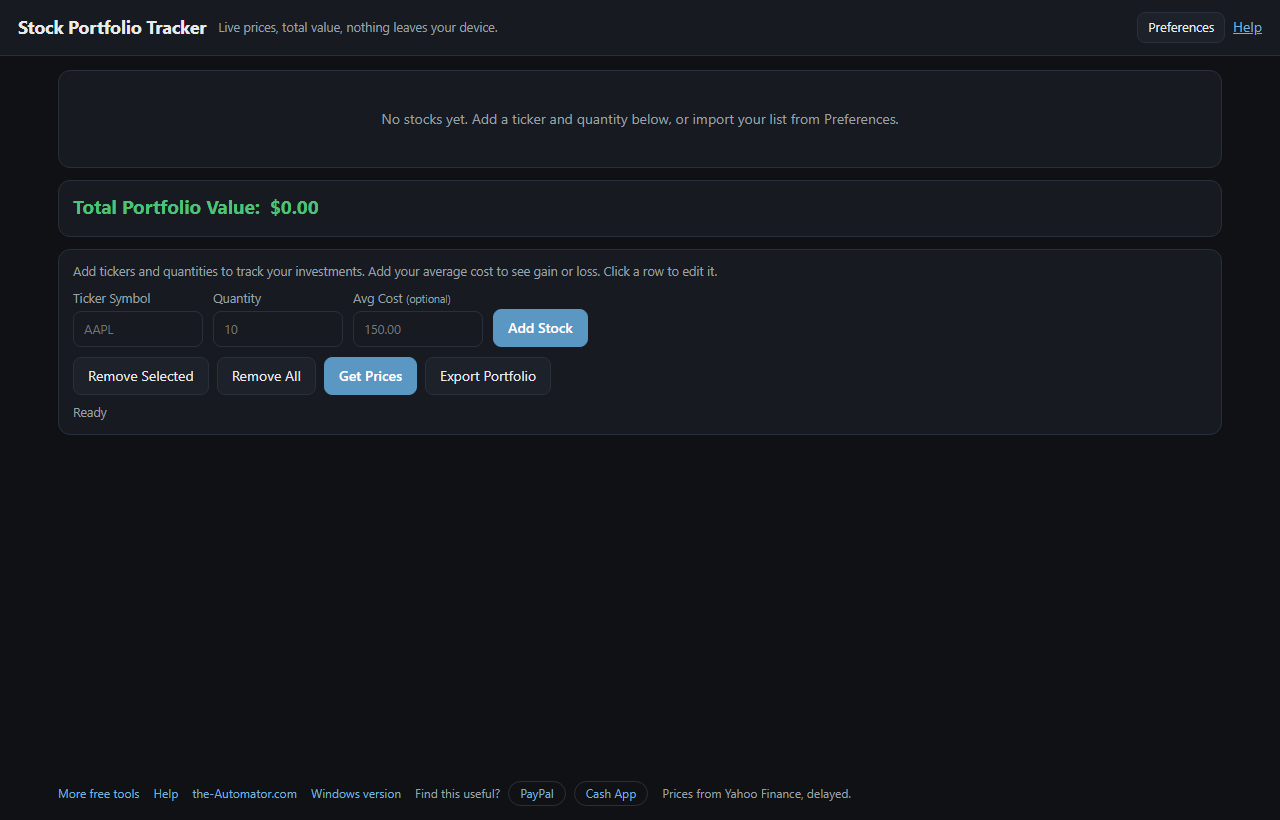
This is that spreadsheet, except it fills in the prices for you. Enter each ticker symbol and how many shares you hold. It looks up the price, multiplies, and shows what each holding is worth plus the grand total.
Why I built this
I already had a Windows Stock Portfolio Tracker at the-Automator, but it only runs on Windows. I rebuilt it for the browser so it works on a phone, a Mac or a Chromebook too, and while I was at it I added a few things the Windows one never had, like gain and loss, multiple portfolios and a glance view.
How it works
- Add a stock. Type a ticker (for example AAPL) and the quantity you own, then click Add Stock. It checks the ticker exists before adding it.
- Add your cost if you like. Type your average price per share and Avg Cost, Gain $ and Gain % columns appear.
- Watch the total. Under it you'll see Today (how much the whole portfolio moved since the last close) and Total gain.
- Refresh any time. Click Get Prices, or leave it open: while the market is open, prices refresh every minute on their own.
What else it does
Price change columns. Tick any of 1 day, 5 days, 1 month, 3 months, 6 months, 1 year, 2 years, 5 years, year to date or max. Green for up, red for down.
Share column. What percent of your total each holding is, so you can see where you're concentrated.
Several portfolios. Keep a retirement list and a play-money list apart, and switch with a dropdown.
Watch-only tickers. Give a ticker a quantity of 0 and you see its price and trend without it counting toward the total.
Sort and export. Click any column header to sort. Export Portfolio saves a tab-delimited file for Excel or Google Sheets.
Getting your list onto your phone
Copy share link in Preferences packs your portfolio into a web address. Text it to yourself, open it on your phone, and it offers to import the tickers. The list travels inside the link itself, so no server ever stores it.
Then try the Glance view: just the total, today's move and total gain in big type. Add it to your home screen for a one-tap check. Coming from the Windows app? Import reads its StockPortfolio.ini directly.
Why I ask for your email
Your holdings are saved in your own browser, not on my server, and they're never tied to your email. The only thing that leaves your device is the ticker symbol, which goes to a small price lookup service of mine that asks Yahoo Finance for the quote.
The email is how I keep these tools free and know real people use them. I might send you a note now and then about other free tools I build. I will never sell or give your email to anyone else.
Questions people ask
Is it really free?
Yes. No subscription and no account.
Are the prices real time?
They come from Yahoo Finance and may be delayed. A green dot next to the total means the market is open and shows the last refresh time. A red dot means it's closed and you're seeing the last session's prices.
Does it connect to my brokerage?
No. You type in your tickers and share counts yourself. It never asks for a brokerage login.
Where is my portfolio saved?
In your browser's own storage on this device. Use Copy portfolio as text as a backup, or the share link to move it to another device.
Does it work on a phone?
Yes. It runs in any modern browser, on a phone, a Mac, a Chromebook or a PC.
I use the Windows version. Can I bring my list over?
Yes. Open Preferences, click Import, and pick or paste your StockPortfolio.ini. Plain TICKER=QTY lines work too.